
Best Laptops for Students in UAE 2026
Introduction: Navigating the 2026 Laptop Market for UAE Students
As we look towards 2026, the landscape of technology continues to evolve rapidly, and for students in the UAE, choosing the right laptop is more critical than ever. The demands of modern education, encompassing everything from online lectures and collaborative projects to specialized software and extensive research, necessitate a device that is both powerful and practical. Our goal in this article is to guide you through the myriad options available, helping you identify the Best Laptops for Students in UAE 2026. We understand that a laptop is not just a tool, but an investment in your academic journey, and making an informed decision can significantly impact your productivity and overall learning experience.
The UAE market offers a diverse range of laptops, catering to various budgets and academic needs. From ultra-portable devices designed for seamless campus navigation to more robust machines for demanding coursework, there's a laptop for every student. However, with so many choices, pinpointing the ideal device can be overwhelming. We'll break down the essential factors to consider, highlight key specifications, and recommend specific models that stand out in the 2026 market.
Key Considerations for Student Laptops in 2026
When searching for the Best Laptops for Students in UAE 2026, several factors come into play beyond just raw specifications. These considerations are crucial for ensuring the laptop meets the unique demands of student life in the UAE.
1. Course Software Requirements
Before anything else, students must confirm their course software requirements. This is paramount. Many universities in Dubai and across the UAE utilize specialized software, and some of these applications may be exclusive to specific operating systems, particularly Windows. Choosing a MacBook or a Chromebook when your course demands Windows-only software is a common and easily avoidable mistake.
2. Portability and Durability
Students are constantly on the move, commuting between classes, libraries, and study groups. Therefore, portability is a major factor. A laptop that is light enough to carry daily, ideally under 1.6kg, is highly recommended. While a 15.6-inch screen might seem appealing, its weight can become a burden over a full day of campus use. Furthermore, the UAE's climate, with its heat and dust, necessitates a device with a durable build that can withstand daily wear and tear.
3. Battery Life for All-Day Use
Battery life is arguably one of the most critical considerations for students. Power sockets are not always available on campus, and a laptop that can last through a full day of classes, lectures, and study sessions without needing a recharge is invaluable. We recommend looking for real-world battery life ratings of 10+ hours. This ensures you remain productive even during long commutes or extended study periods.
4. Budget and Value for Money
Student budgets are often tight, making value for money a significant consideration. While it might be tempting to opt for the cheapest option, an underpowered device can quickly become frustrating and may need early replacement, ultimately costing more in the long run itstoredubai.com. It's essential to strike a balance between cost and performance, prioritizing specifications that will remain relevant throughout your degree. The price range for student laptops in Dubai can vary widely, from AED 799 for a basic Chromebook to AED 4,799 for a top-tier student laptop itstoredubai.com.
5. Official UAE Warranty and Support
Always prioritize purchasing a laptop with an official UAE/GCC warranty. This ensures you have local support and service in case anything goes wrong, saving significant time and effort. Many retailers in the UAE offer a minimum one-year warranty, with some models extending to two years.
Essential Specifications for Student Laptops in UAE (2026)
To ensure your laptop can handle the demands of university life in 2026, paying close attention to specifications is crucial. Here's a breakdown of what to look for:
1. Processor (CPU)
The processor is the "brain" of your laptop, dictating its overall speed and ability to handle multiple tasks.
- Minimum (2026): An Intel Core i5 or AMD Ryzen 5 is the recommended baseline. These processors can comfortably handle general use, assignments, and browsing. A Core i5, 10th generation or newer, is considered sufficient for university-level multitasking.
- Recommended (2026): For better future-proofing and smoother performance, an Intel Core Ultra 5 or Apple M3 chip is ideal. These are built with AI-accelerated tasks in mind, which is becoming increasingly relevant.
2. Random Access Memory (RAM)
RAM is vital for multitasking. Modern coursework often involves numerous browser tabs, presentation software, video calls, and other applications running simultaneously.
- Minimum (2026): While 8GB RAM is still found in some budget models, it's considered the bare minimum and will likely feel slow within a year or two of heavy student use karoumcomputers.com.
- Recommended (2026): 16GB RAM is the "sweet spot" and highly recommended as the minimum for any student buying a primary study device in 2026 karoumcomputers.com. This amount of RAM prevents slowdowns when juggling multiple applications and browser tabs. For creative or gaming work, 32GB might be necessary.
3. Storage (SSD)
Solid State Drives (SSDs) are significantly faster than traditional Hard Disk Drives (HDDs), leading to quicker boot times, faster application loading, and overall snappier performance.
- Minimum (2026): A 256GB SSD is the absolute minimum, but it can quickly fill up with course materials and project.
- Recommended (2026): 512GB SSD is a far more comfortable starting point for most students, especially those storing large files or working with media. For students with extensive digital libraries or who engage in creative work, 1TB SSD offers ample space.
4. Display
A good display is crucial for comfortable viewing during long study sessions.
- Minimum (2026): A 1080p Full HD display is standard.
- Recommended (2026): A 1080p IPS or OLED display offers better color accuracy and viewing angles, enhancing the overall experience.
5. Graphics Processing Unit (GPU)
For most students, integrated graphics are sufficient.
- Minimum (2026): Integrated Graphics (e.g., Intel Iris Xe, AMD Radeon Graphics) are perfectly adequate for general use, streaming, and light photo editing.
- Recommended (2026): Intel Arc, Apple GPU, or an entry-level dedicated GPU might be beneficial for creative work, light editing, or specific student projects that require more graphical horsepower. However, dedicated GPUs are often unnecessary for non-gaming or non-design students and add to the cost and weight.
6. Connectivity and Webcam
Reliable connectivity and a good webcam are essential for online learning and video calls.
- Connectivity: Look for Wi-Fi 6E or Wi-Fi 7 for faster internet speeds and improved online learning experiences.
- Webcam: A 1080p Full HD webcam is recommended for clear online classes and video meetings.
Summary of Essential Specifications
Here's a quick reference table for essential specifications:
| Specification | Minimum (2026) | Recommended (2026) | Best For |
|---|---|---|---|
| Processor | Intel Core i5 / AMD Ryzen 5 | Intel Core Ultra 5 / Apple M3 | General use, assignments, browsing |
| RAM | 8GB | 16GB | Multitasking, coding, design software |
| Storage | 256GB SSD | 512GB SSD | Projects, documents, media files |
| Display | 1080p Full HD | 1080p IPS or OLED | Comfortable viewing during long study sessions |
| Battery Life | 7+ Hours | 10+ Hours | All-day campus and classroom use |
| Weight | Under 2kg | Under 1.6kg | Easy portability between classes |
| Operating System | Windows 11 / ChromeOS | Windows 11 / macOS | Software compatibility and productivity |
| Graphics | Integrated Graphics | Intel Arc / Apple GPU / Entry-Level Dedicated GPU | Creative work, light editing, student projects |
| Connectivity | Wi-Fi 5 | Wi-Fi 6E or Wi-Fi 7 | Faster internet and online learning |
| Webcam | 720p HD | 1080p Full HD | Online classes and video meetings |
| Ports | USB-A, USB-C | USB-C, HDMI, Thunderbolt | Connecting accessories and external displays |
Top Laptop Recommendations for UAE Students in 2026
Based on the key considerations and essential specifications, we've identified some of the Best Laptops for Students in UAE 2026 across different budget categories.
1. Value for Money (Mid-Range: AED 3,050–4,100)
This category represents the "sweet spot" for most students, offering a balance of performance, features, and affordability.
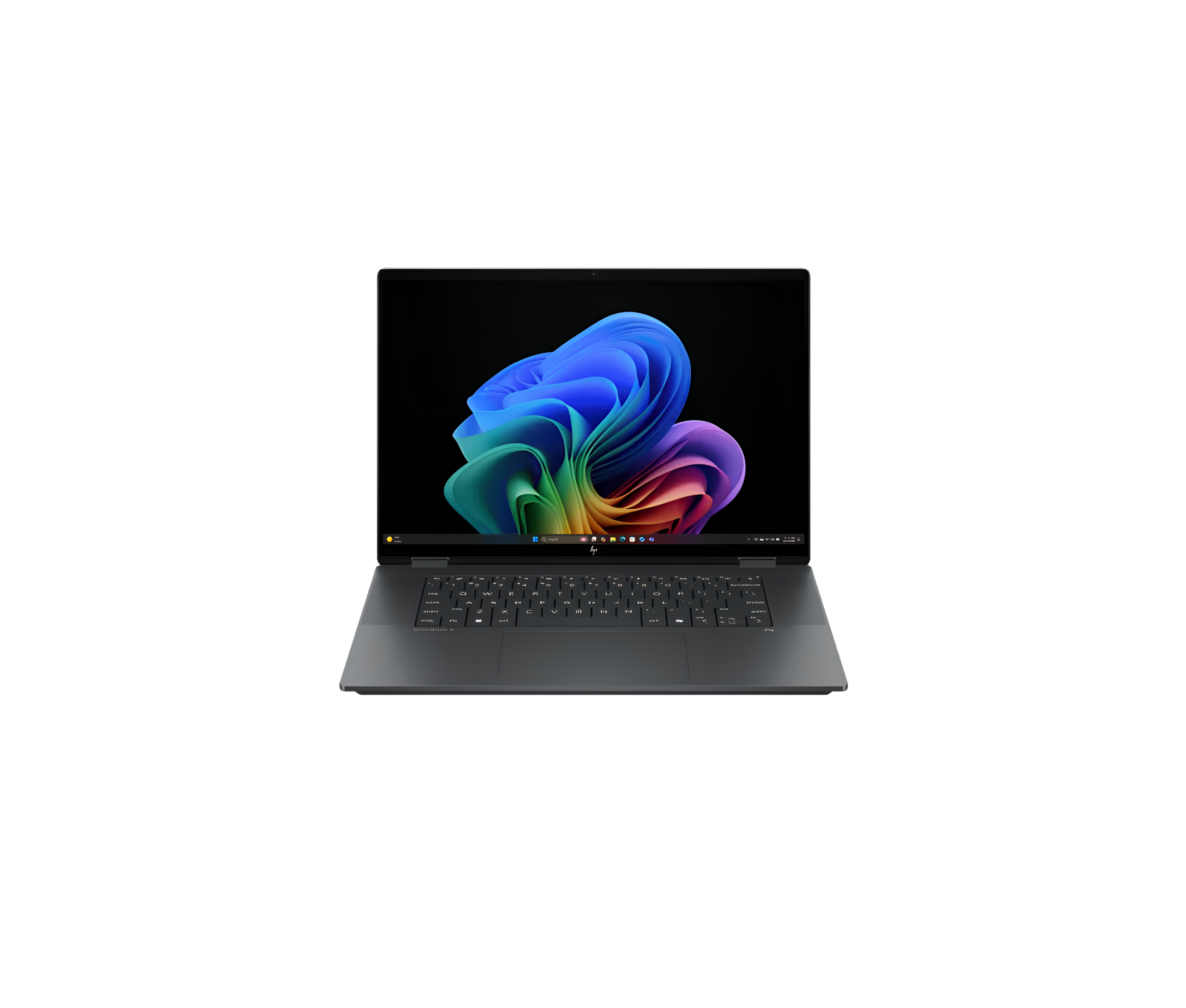
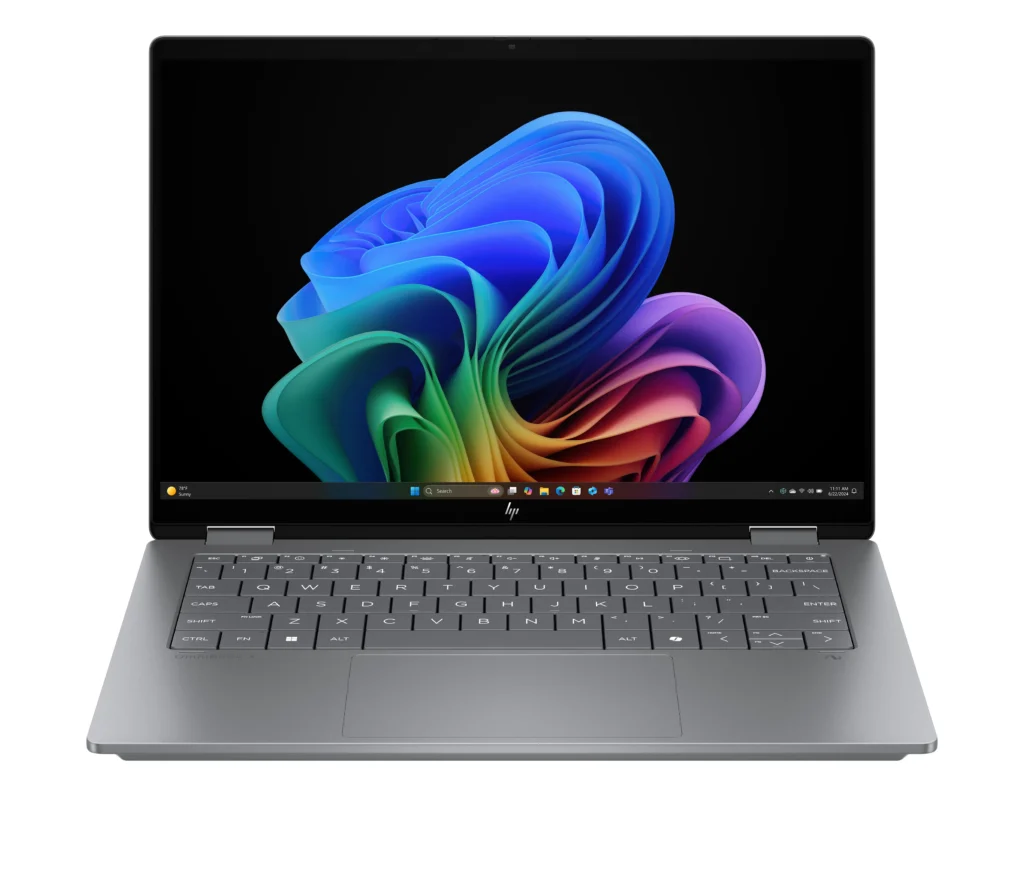
HP Omnibook X Flip 16-as0023dx
- Price: AED 3,067.00-3,447.00
- Specs: 16-inch 2K (1920x1200) IPS LED Touchscreen Display (400 nits), Intel Core Ultra 7 256V
- Why it's recommended:
- A versatile 2-in-1 laptop featuring a larger workspace, a sharp touchscreen, a high-performance Intel Core Ultra 7 processor, and a spacious 1TB solid state drive for demanding student projects.
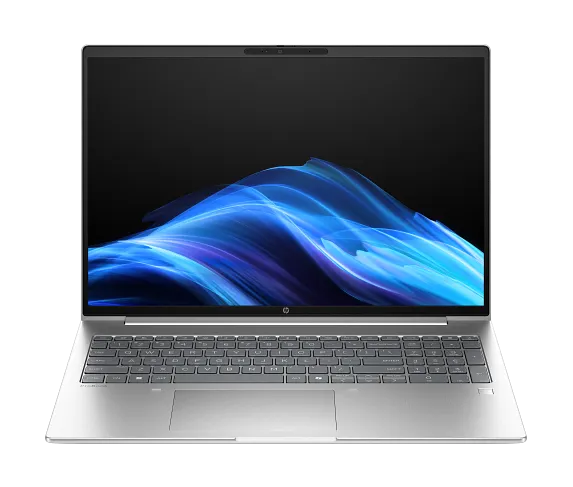
HP ProBook 4 G1i 16 AI
Price: AED 3,3732.00-4,092
Specs: Intel Core Ultra 7 255U, 32GB RAM, 512GB SSD, Intel Graphics, Windows 11 Pro
Why it is recommended: Built for heavy multitasking and demanding student workloads, featuring a large 16-inch display and massive 32GB RAM capacity for peak academic performance.
HP Omnibook X Flip 16-as0023dx Core Ultra 7 256V 16GB LPDDR5 RAM, 512GB SSD, Backlit Keyboard, Window 11, Intel Arc 140V Graphics, 16inch 2k (1920*1200) IPS LED Display Touchscreen (400 nits) Gray
In stock
HP ProBook 4 G1i 16 AI Intel Core Ultra 7 255U – 32GB RAM, 512GB SSD, 16 WUXGA IPS Anti-Glare, Intel Graphics, Win 11 Pro (Pike Silver)
In stock
| RAM | 8GB DDR5, 16GB DDR5, 32GB DRR5 |
|---|---|
| Storage SSD | 512GB SSD |
| Model | HP ProBook 4 G1i |
| Model Number | BA7S0UT#ABA |
| Processor | Intel Core Ultra 7 255U |
| Graphics | Intel Integrated Graphics |
| RAM | 32GB DDR5 SDRAM |
| SSD | 512GB SSD |
| Display | 16 Inch WUXGA (1920 x 1200) IPS Anti-Glare |
| Color | Silver |
| Operating System | Windows 11 Pro |
| Battery | 3 Cell Lithium Polymer |
2. Budget-Friendly Options (AED 2,400–3,500)
For students on a tighter budget, these laptops offer essential functionality without breaking the bank.
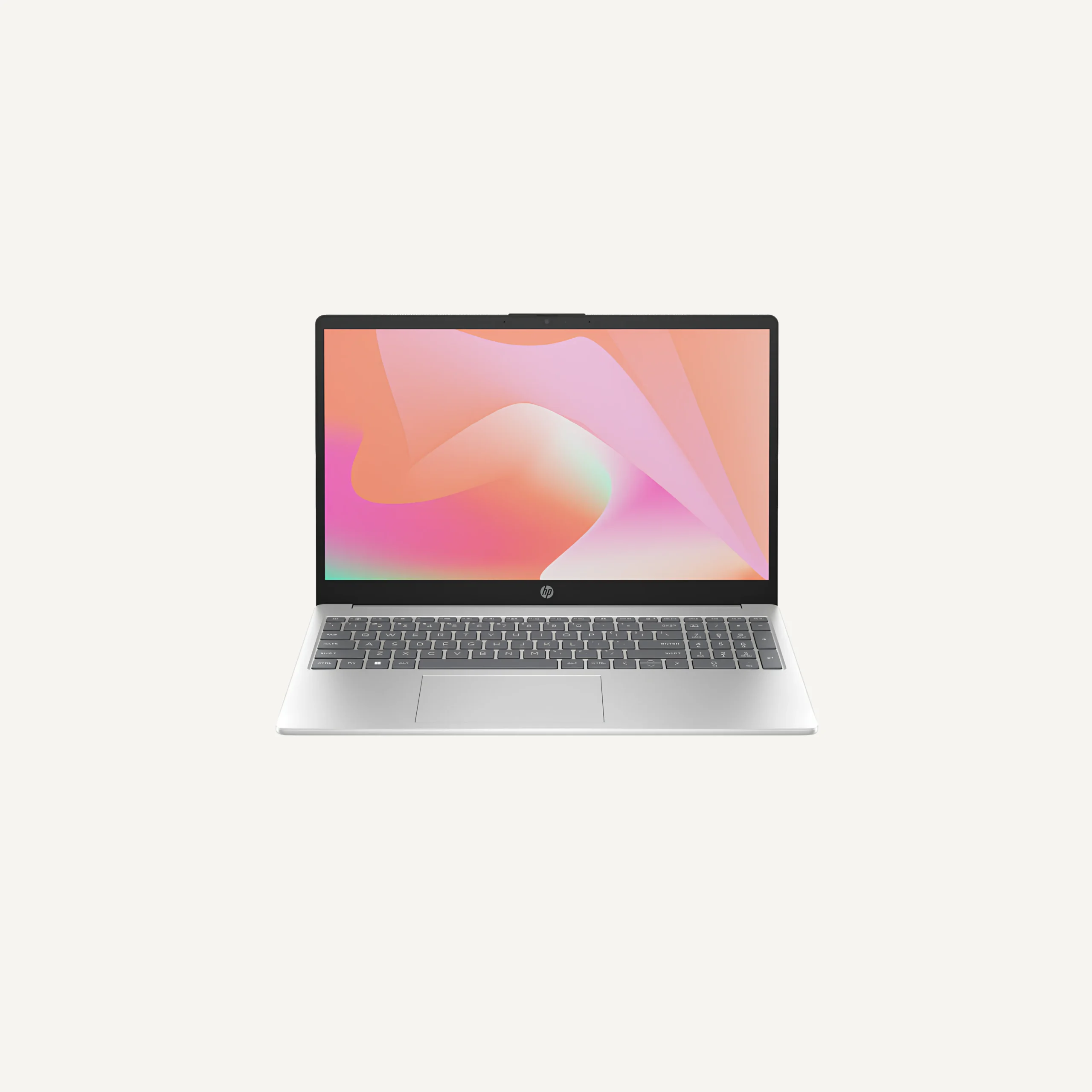
HP Laptop Core i7 13th Gen Intel i7-1335U, 15.6″ FHD Display, 8GB RAM, 512GB SSD, No OS Intel Iris Xe Graphics, English Keyboard, Natural Silver, 15-fd0238nia/CG9V1EA
In stock
| RAM | 8GB RAM, 12GB RAM, 16GB RAM, 32GB RAM, 64GB RAM |
|---|---|
| Storage SSD | 512GB SSD, 1TB SSD, 2TB SSD |
| Model | 15-fd0238nia |
| Model Number | CG9V1EA |
| Processor | 13th Gen Intel Core i7-1355U |
| Graphics | Intel Iris Xe Graphics |
| RAM | 16GB |
| SSD | 512GB SSD |
| Display | 15.6-inch diagonal, FHD (1920 x 1080), micro-edge, anti-glare |
| Color | Silver |
| Keyboard Layout | English Keyboard |
HP Omnibook X-Flip 14-FM0013DX Laptop 14″ 2K Touch Display Intel Core Ultra 5 226V 16GB RAM 512GB SSD, Intel Arc 130V Graphics, English Keyboard, Windows 11, Atmospheric Blue
In stock
| Model | Omnibook X-Flip 14-FM0013DX |
|---|---|
| Processor | Intel Core Ultra 5 226V |
| Graphics | Intel Arc 130V Graphics |
| RAM | 16GB LPDDR5X RAM |
| SSD | 512GB SSD |
| Display | 14 Inches (1920 x 1200) 2K IPS LED Touchscreen |
| Operating System | Window 11 |
| Keyboard Type | Backlit Keyboard |
| Color | Atmospheric Blue |
| Keyboard Layout | English Keyboard |
| RAM | 16GB RAM |
| Storage SSD | 512GB SSD, 1TB SSD, 2TB SSD |
HP OmniBook X-Flip 14-FM0013DX Laptop
Price: AED 2,961.00 – 3,394.00
Specs: 14-inch 2K Touch Display, Intel Core Ultra 5 226V, 16GB RAM, 512GB SSD, Intel Arc 130V Graphics, Windows 11, Atmospheric Blue
Why it is recommended: A versatile 2-in-1 student laptop featuring an AI-powered Intel processor and a responsive touch screen for ultimate campus mobility.
HP Laptop Core i7 13th Gen (15-fd0238nia/CGV1EA)
Price: AED 2,379.00-3,490.00
Specs: 15.6-inch FHD Display, Intel Core i7-1335U, 8GB RAM, 512GB SSD, Intel Iris Xe Graphics, No OS, Natural Silver
Why it is recommended: Delivers strong performance for everyday academic workloads and multitasking, driven by a powerful 13th Generation Intel Core i7 processor and a spacious display.
3. Premium Options (AED 5,000+)
These laptops are for students with specific needs, such as those in design, media, engineering, or gaming, who require high-end performance.
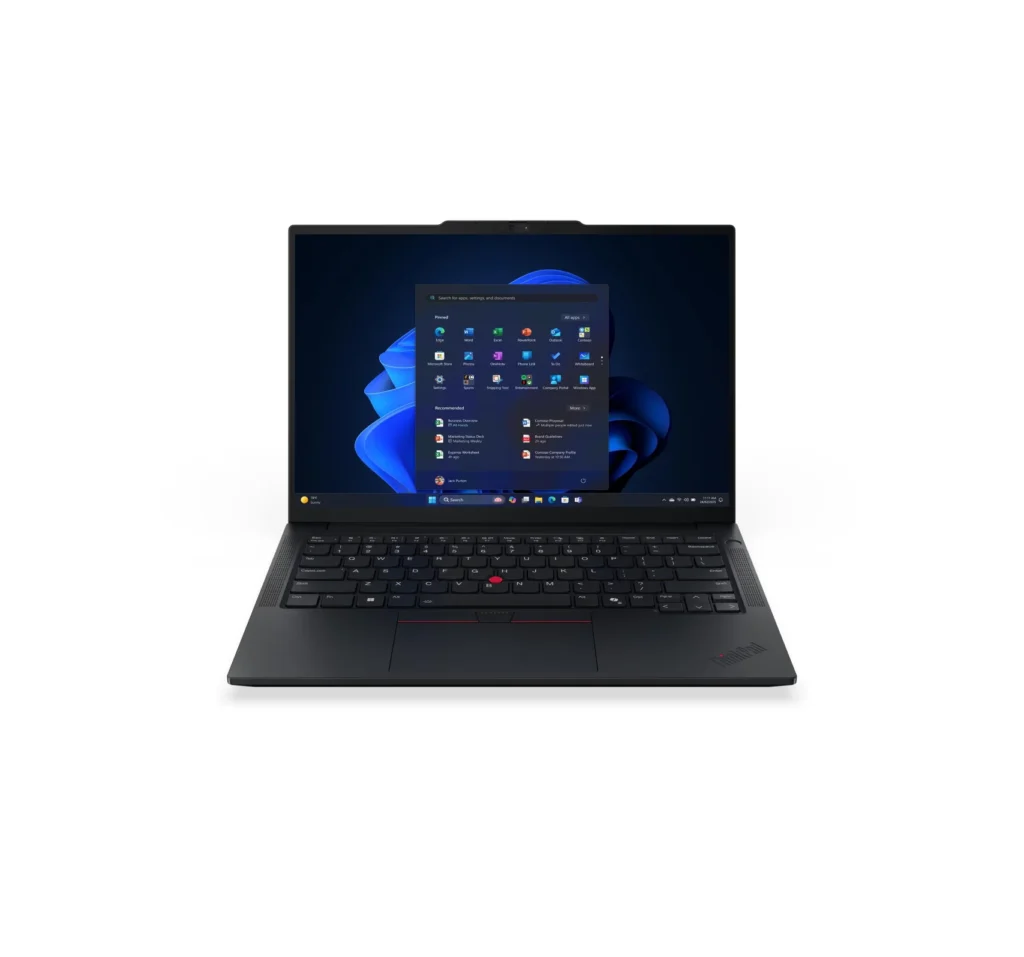
Lenovo Carbon X1 Gen 13 Ultra 7 258V Aure Edition, 32GB LPDDR5x RAM,512GB SSD,14″2.8K Display, Fingerprint Reader,Backlit KB, Black (Part NO: 21NS0166US) US Model
Out of stock
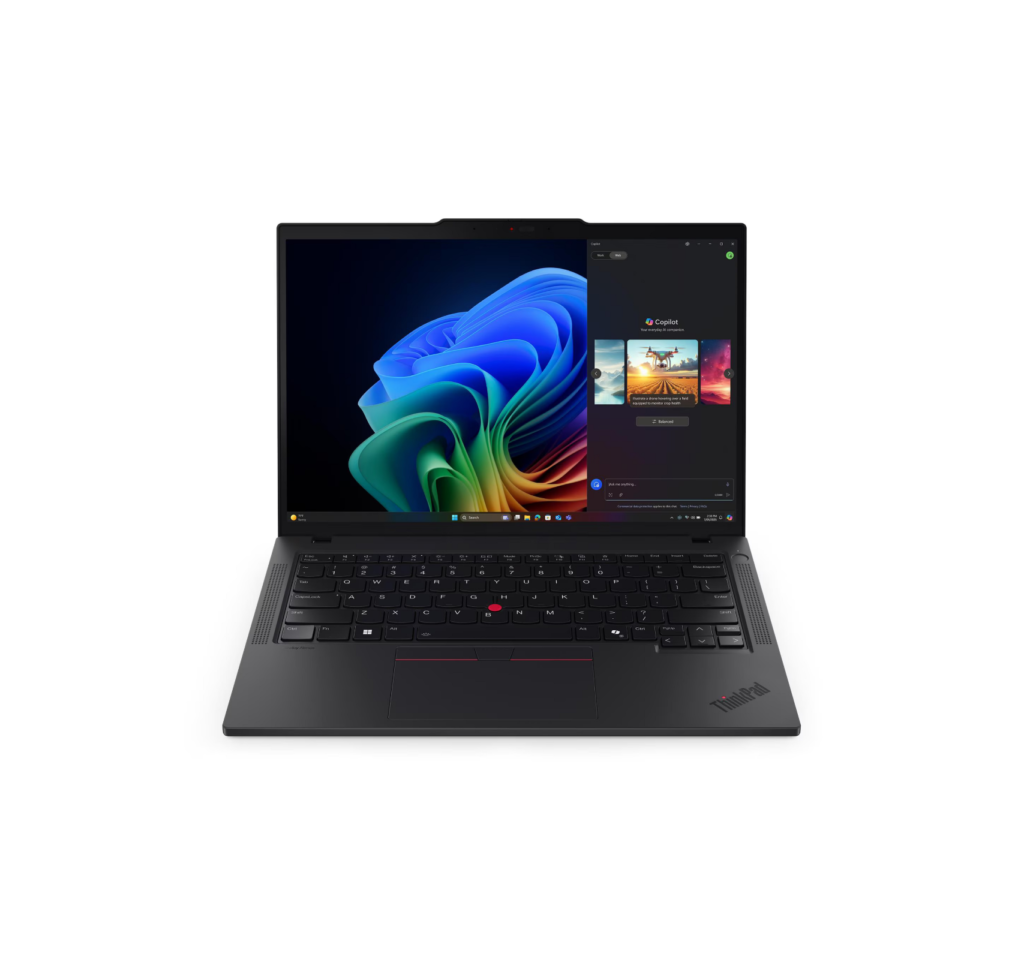
Lenovo Thinkpad T14 Gen 6 ultra 7 255U 16GB DDR5 RAM 512GB SSD, Intel Integrated Graphics, Backlit keyboard, Fingerprint Reader, 14″WUXGA IPS Touch Display, Windows 11 Pro, Black (Part NO: 21QDS6DX00) Us Model
In stock
Lenovo ThinkPad T14 Gen 6
- Price: AED 4,864.00 – 5,825.00
- Specs: Intel Core Ultra 7 255U, 16GB DDR5 RAM, 512GB SSD, Intel Integrated Graphics
- Why it's recommended: A reliable, highly portable business-class laptop featuring an interactive touch display, robust security, and dependable performance for everyday student tasks.
Lenovo Carbon X1 Gen 13 Ultra 7 258V Aure Edition
- Price: AED 5,860.00-7,613
- Specs:14-inch 2.8K Display, 32GB LPDDR5x RAM, 512GB SSD
- Why it's recommended:A premium, ultra-durable enterprise machine featuring top-tier memory capacity and a high-resolution display for advanced student workloads.
Before You Buy: Crucial Pre-Purchase Checks
Even after narrowing down your options, there are a few critical steps to take before finalizing your purchase of the Best Laptops for Students in UAE 2026.
1. Double-Check Course Software Compatibility
Reiterate the importance of verifying your university course's specific software requirements. This single check can prevent the most common mistake students make: buying a MacBook or Chromebook for a course that exclusively requires Windows software.
2. Prioritize Official UAE Warranty
Ensure the laptop comes with a UAE warranty rather than just an international one. Local warranty support is invaluable for servicing and repairs, saving you time and potential hassle karoumcomputers.com.
3. Consider Upgradability
Some laptops allow for future upgrades of RAM or SSD. This can significantly extend the useful life of the machine, allowing you to boost performance or storage as your needs evolve during your degree. Check if the model you are considering offers this flexibility.
4. Evaluate Real-World Battery Life (Not Just Manufacturer Claims)
Manufacturer battery life claims are often based on ideal conditions. Seek out reviews or ask retailers about real-world battery performance for typical student usage patterns in the UAE. This is especially important for students with long commutes or large campuses.
5. Buy from a Reputable Local Retailer
Purchasing from a local retailer with official manufacturer warranty support in the UAE is highly recommended. This protects your investment and ensures reliable servicing if needed.
Frequently Asked Questions About Student Laptops
Q1: Is 8GB RAM enough for a student laptop in 2026?
A1: While 8GB RAM can handle basic tasks, it is considered the bare minimum for 2026. For effective multitasking, running multiple browser tabs, presentation software, and video calls simultaneously, 16GB RAM is strongly recommended to avoid slowdowns and ensure the laptop remains responsive throughout your degree.
Q2: How much storage do I need for a student laptop?
A2: A 512GB SSD is the recommended baseline for most students in 2026. While 256GB SSD is the minimum, it can quickly fill up. For students who handle large media files, design projects, or extensive course materials, 1TB SSD offers greater peace of mind. Always prioritize SSD over HDD for speed.
Q3: Should I get a Windows laptop or a MacBook?
A3: The choice largely depends on your course software requirements and personal ecosystem preference. If your university courses require Windows-only software (common in engineering, finance, or data science), a Windows laptop is essential. If your software needs are flexible and you prioritize seamless integration with other Apple devices, excellent battery life, and a premium user experience, a MacBook Air (M3) is an excellent option.
Q4: What's the ideal screen size for a student laptop?
A4: A 14-inch laptop hits the sweet spot for portability and usability. While larger screens (e.g., 15.6-inch) can be appealing, they often add significant weight, making them less convenient for daily carrying across campus.
Q5: Is it worth buying a cheap laptop for university?
A5: Buying the cheapest laptop can often be a false economy. Underpowered devices tend to slow down quickly, leading to frustration and potentially needing an early replacement, which costs more in the long run. Investing in a laptop with recommended specifications (e.g., 16GB RAM, 512GB SSD, Intel Core i5/Ryzen 5 or better) will ensure it remains effective throughout your degree. If budget is extremely tight, consider a professionally tested renewed laptop from a reputable UAE retailer with verified battery health and upgradeability.
Conclusion: Making an Informed Decision for Your Academic Journey
Choosing the Best Laptops for Students in UAE 2026 is a decision that impacts your academic success and daily life. By carefully considering your course requirements, prioritizing essential specifications like 16GB RAM and a 512GB+ SSD, and factoring in portability, battery life, and official UAE warranty, you can make an informed choice.
Remember, the goal is to find a device that supports your learning without becoming a hindrance. Whether you opt for a value-packed Windows laptop like the ASUS Core 7, the premium performance of an Apple MacBook Air M3, or a specialized machine for demanding tasks, ensure it aligns with your specific needs and budget. An investment in the right laptop is an investment in your future, providing the tools you need to thrive in the dynamic educational environment of the UAE.